
Microsoft introduced the Third Party Phishing dialog along with the SecOps mailbox in the Advanced Delivery section of https://security.microsoft.com/ around Summer of 2021. It’s a place where you can collect the groupings of your allowances via IP addresses, domains, and URLs being sent. I recently was assisting a customer migrating into MDO and went fairly deep on the constraints and limitations of this offering and wanted to share them with you – some of them could lead you to still relying on Exchange Transport Rules (ETRs)
First off – here’s the main go to URL from Microsoft on the topic:
Here’s the Microsoft blog announcing it:
The main goal was to help customers not craft ETRs that per them:
“In our effort to eliminate the unintentional ETR overrides of malicious emails, we needed to first make sure there was a safe way for customers to achieve the above two goals without having to rely on ETRs as a blunt instrument.“
In many of my projects what I need to do is help guide customers to configure M365 in a way to support their existing business or technical requirements in as simplistic a configuration as possible, so the idea of steering away from ETRs and something just within the security center appealed to me – that’s the team that is most likely to be running the 3rd party phishing simulation, so this makes sense.
When you put things in 3rd party phishing, they go into three places in EXO Powershell. This is directly from the MSFT article here:
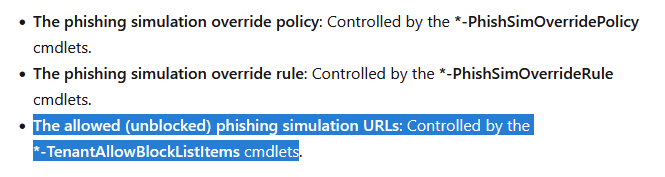
The dialog in the WebUI to Powershell mapping is as follows:
- Domains – maps to EXO’s get-PhishSimOverrideRule under the attribute Domains as well as SenderDomainIs (latter is legacy/deprecating)
- IP addresses – maps to get-PhishSimOverrideRule under the attribute SenderIPRanges
- URLs – maps to the Tenant Allow Block List (ListType: URL ListSubType: AdvancedDelivery)
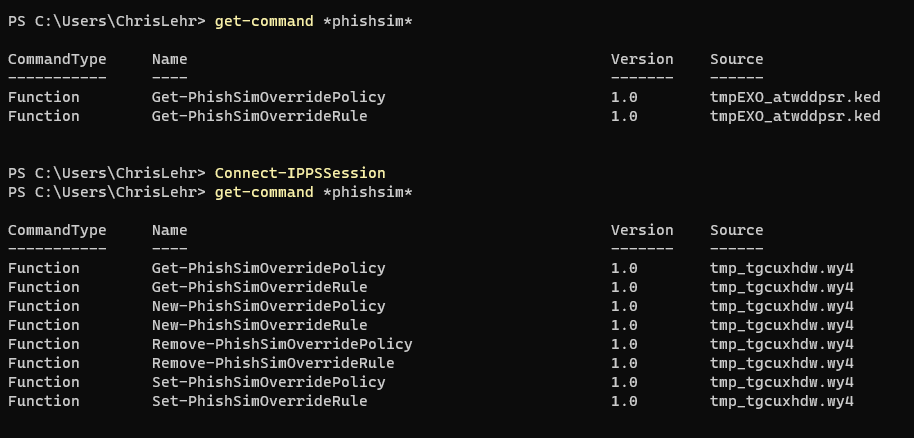
With this knowledge, I am now able to find the configuration via PowerShell – now, let’s try to add configuration via PowerShell.
Welllllllll that’s a little messy. There are several hurdles.
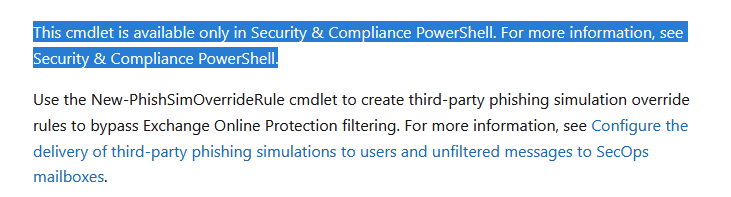
The Get-PhishSimOverridePolicy and Get-PhishSimOverrideRule is in EXO shell, the new/set-PhishSimOverridePolicy and new/set-PhishSimOverrideRule is only in Compliance Shell
Source: https://learn.microsoft.com/en-us/powershell/module/exchange/new-phishsimoverriderule?view=exchange-ps
The cmdlets to Add/Remove things are… unique the way Security/Compliance Shell always has been
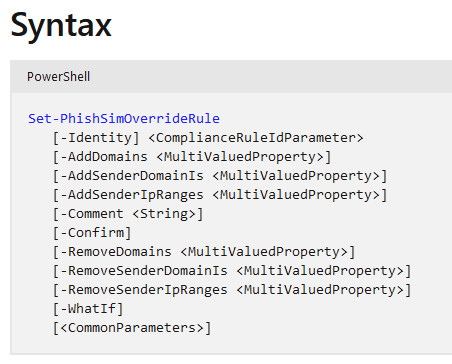
Here you can see me adding a domain, and then removing a domain and adding an IP – so these cmdlets enable us to do the Domains and IPs.

Now – the TABL for URLs.. this one only requires EXO shell thankfully, but if you’ve loaded S&C atop it, the TABL commands all crash:
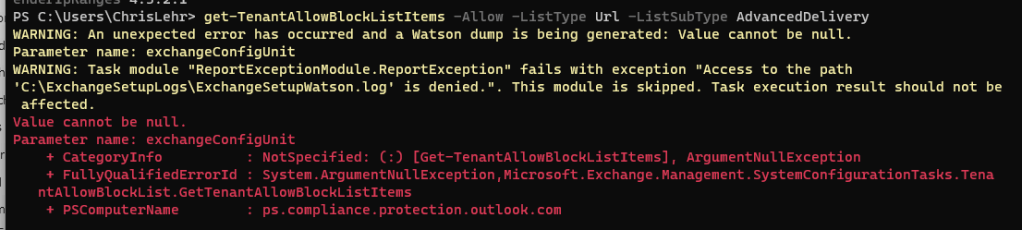
This of course may be my PC, my version combinations of PowerShell/EXO/S&C shell
But we can use EXO shell to review the URLs:
get-TenantAllowBlockListItems -Allow -ListType Url -ListSubType AdvancedDelivery

IMO, if you ran:
get-TenantAllowBlockListItems -Allow -ListType Url You should get back all list subtypes, but you won’t see AdvancedDelivery items unless you specify it!

And we can now add items in EXO shell:
New-TenantAllowBlockListItems -ListType URL -ListSubType AdvancedDelivery -Allow -Entries "www.clock123.com"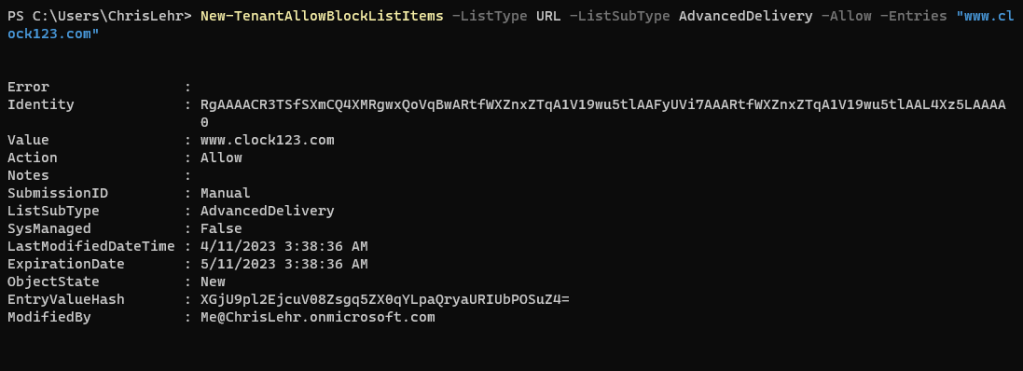
So now I can bulk add URLs to 3rd party phishing in EXO shell.
Well – until you hit the scant limit of thirty (30) URLs.

And do recall – if you had the clever idea to try to add them to the Allow list – you are blocked in the shell from doing this (in the WebUI, there is only the block button)

The WebUI also limits you to 30 URLs, it simply won’t let you input a thirty-first.
I am not sure that MSFT has met the mark with their promise of improving the blunt tool of ETRs on this one. Instead we need to grant access to EXO admin as well as S&C, we need to use two or three cmdlets to manage this, and the limitations are pretty low. Granted an Exchange ETR is limited to 8kb or 8192 characters, which is still fairly small, but I believe it to be a larger allowance then the TABL advanced delivery offered here. Overall I like the idea of having the WebUI and a single place for this to all live, but after doing this deep dive I found that many third party phishing simulators provide a safe list larger than 30 URLs, so this extremely low limit means that you are less able to configure, set and forget this – but instead would need to update it regularly based on which URLs you were using in campaigns that month/quarter. Unless you are lucky enough to have a shorter than 30 URL list – if you wanted to set and forget this, you’d need to consider an ETR still.
 Musings 365