
Microsoft announced support for DANE this year, and there isn’t really much reason to NOT implement this, but there are a few requirements that might be difficult for organizations to meet. The largest of which is having a DNS host that supports DNSSEC. There are several that do, but Cloudflare is likely the largest and most popular one. However, if you have a production external DNS zone to migrate to a new host – that can be a large effort and change to put in front of this change, but it is a requirement nonetheless. Cloudflare does make adopting them easy – they copy your DNS zone and let you selectively migrate things, or choose to clone the entire zone.
The article here reviews how DANE works as well as the additional prerequisites you need to meet before you begin. Special callout to the “domain is referenced in any smarthosts configurations or connectors” item there!
Throughout the configuration and implementation, the EXRCA DNSSEC validation test was very helpful to see and confirm that each step was successful – I cannot recommend this enough so making the URL big and bold here:
https://testconnectivity.microsoft.com/tests/O365DaneValidation/input
Next up, we need to connect to EXO shell and enable our domain for DNSSec using:
Enable-DNSSecForVerifieddomain -DomainName chrislehr.com This then tells you what your new MX record will be. In my case it was chrislehr-com.i-v1.mx.microsoft
Microsoft recommends adding this MX record with a HIGHER priority than your current – I ignored this because I was in a lab environment and am the only user of this domain, but in production I’d do it the recommended way.
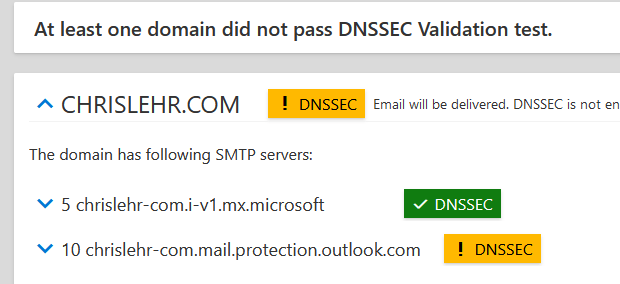
At this point the EXRCA test for my domain looks like this:
Next up, I needed to implement the DS record for DNSSEC at my registrar. Cloudflare has a surprisingly long list of registrars with guidance on how to do this on each. Mine required opening a support ticket, but they completed the request in minutes.
Another handy tool to use to inspect DNS and see when the DS record is in place and DNSSEC is enabled was:
https://dnsviz.net/
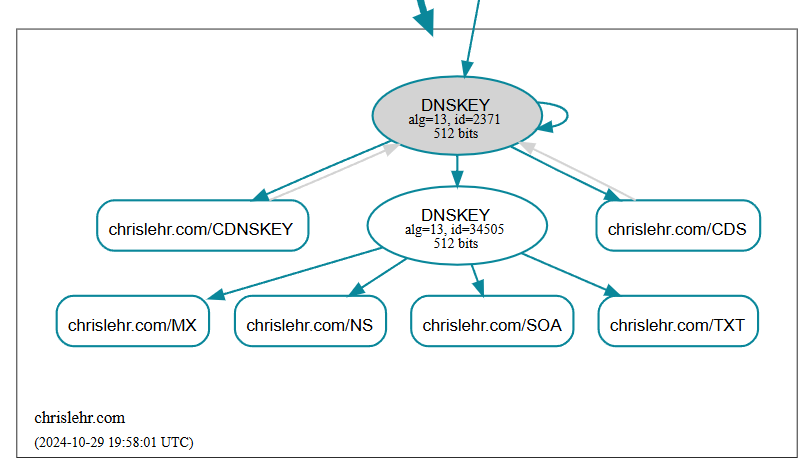
Now, we have a bit of a leap of faith moment, we need to delete the legacy MX record! Make sure you have it handy in case you need to revert!
Finally back to powershell to run:
Enable-SMTPDaneInbound -DomainName chrislehr.comThe above command succeeded, and about 10 minutes later I reran the EXRCA DANE test and success!
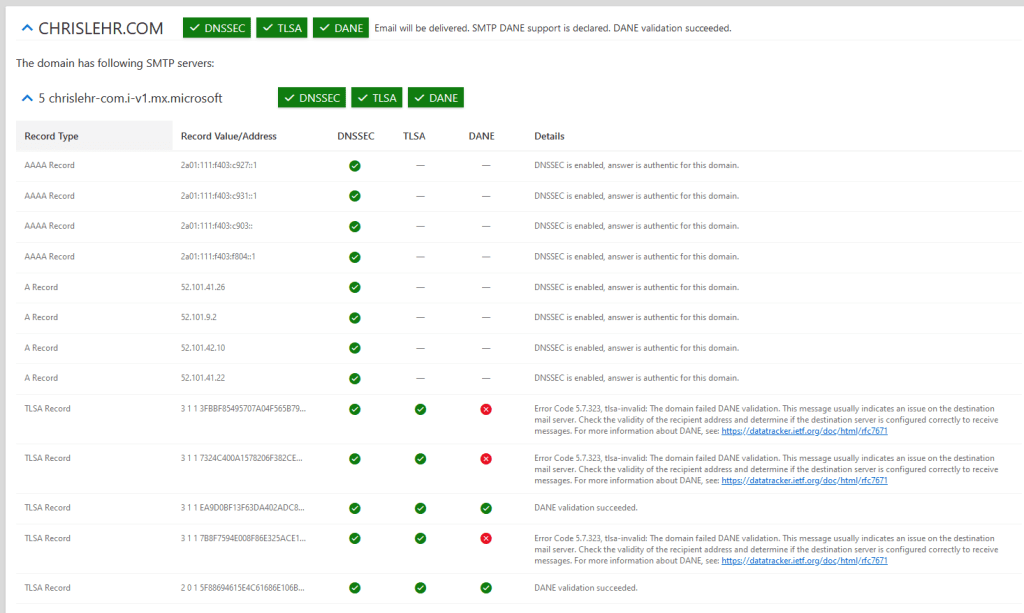
The errors you see on TLSA record are EXPECTED – see here in the MSFT article:

 Musings 365